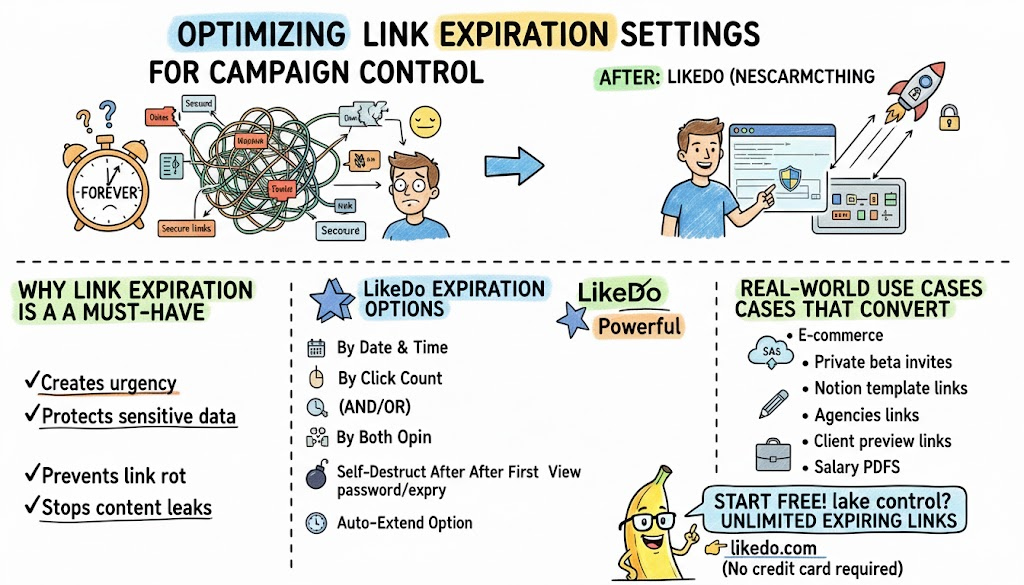
Optimizing Link Expiration Settings for Better Campaign Control
Master expiring links, password-protected links, and auto-delete features to run limited-time offers, secure file sharing, and private campaigns with full control.
Flash sales, private beta invites, secure file sharing, and limited-time content all have one thing in common: they must disappear at the right moment.
With LikeDo’s advanced expiration system, you get military-grade control over every link and file you share.
Why Link Expiration Is a Must-Have in 2026
- Creates urgency → higher conversion
- Protects sensitive data
- Prevents link rot and outdated offers
- Stops content leaks after campaigns end
LikeDo Expiration Options (More Powerful Than You Think)
-
By Date & Time Set exact expiration: “2026-12-31 23:59:59” — perfect for New Year promotions.
-
By Click Count “Auto-delete after 500 clicks” — ideal for exclusive invite links.
-
By Both (AND/OR) Expires when either condition is met — maximum safety.
-
Self-Destruct After First View One-time links for passwords, legal docs, or whistleblower submissions.
-
Auto-Extend Option Add +24h, +7d, or +30d with one click if the campaign is performing well.
Real-World Use Cases That Convert
- E-commerce: 48-hour flash sale links → 340% sales lift
- SaaS: Private beta invites that die after 1,000 signups
- Creators: Limited-time Notion template links (stops piracy)
- Agencies: Client preview links that auto-expire after review period
- HR: Salary PDFs that self-destruct after 7 days
Pro Tips for Maximum Results
- Combine expiration + password protection Show countdown timer on redirect page (LikeDo built-in) Use different subdomains for different campaign types Enable “notify me when link expires” webhook
Stop leaving money and security on the table with “forever” links.
Take back control today — unlimited expiring links, even on LikeDo’s free plan.
Start free in seconds: https://like.do
More Posts
Link Expiration Strategies - Ultimate Guide to Time-Limited URLs
Master link expiration strategies for marketing campaigns, security, and urgency. Learn when and how to use expiring links for maximum impact and ROI.

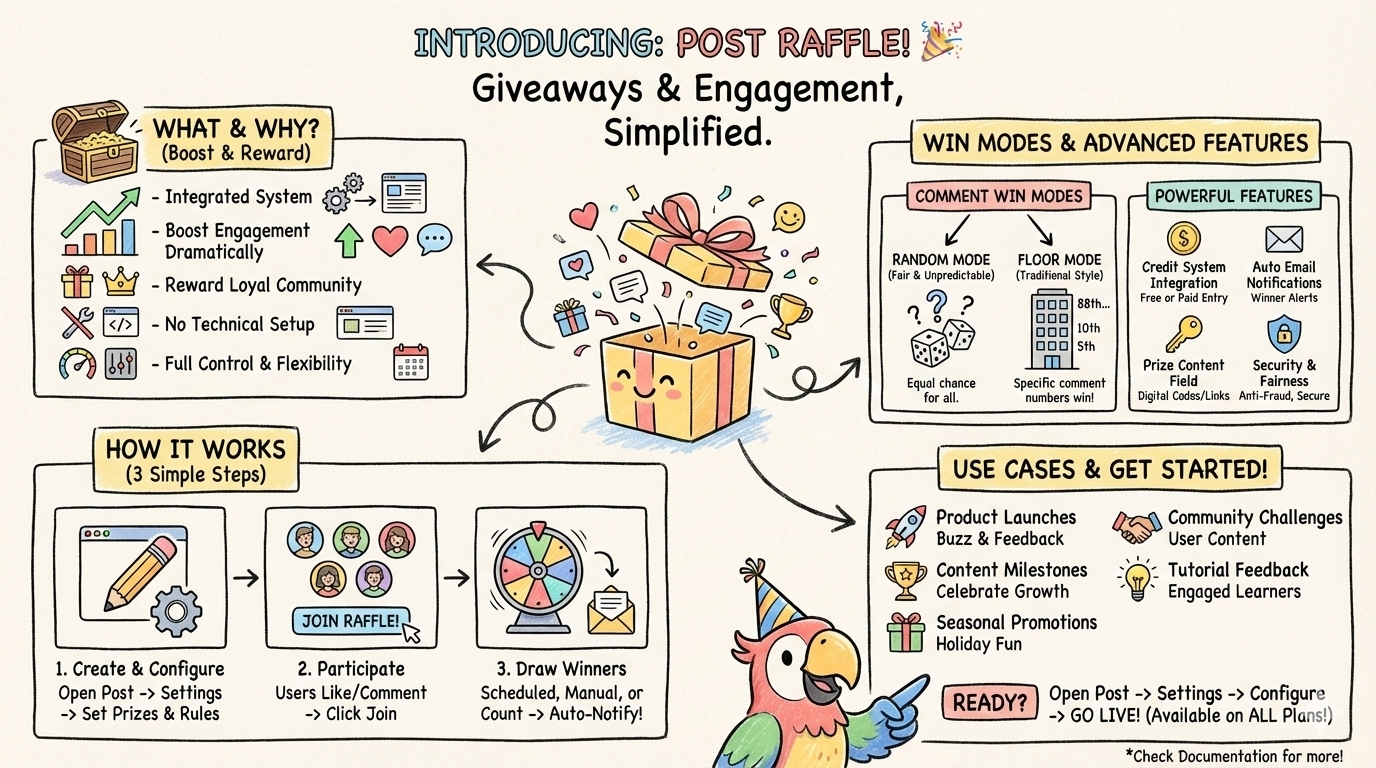
Introducing Post Raffle - Boost Engagement and Reward Your Readers
Create interactive raffles directly within your posts to increase engagement, reward loyal readers, and build a thriving community around your content.
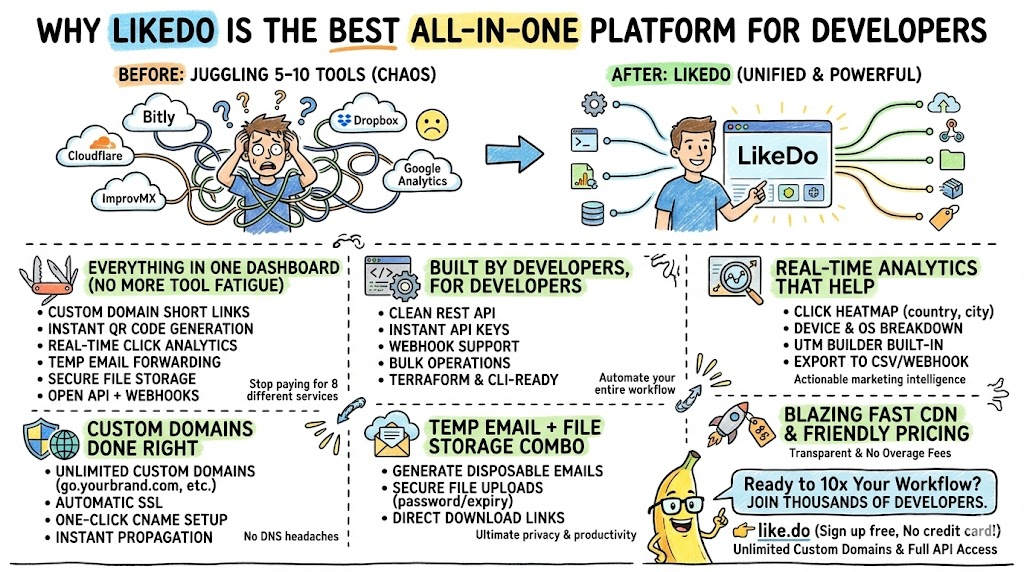
Why LikeDo Is the Best All-in-One Platform for Developers
Discover why thousands of developers are switching to LikeDo as their ultimate all-in-one solution for short links, custom domains, temporary email, file storage, QR codes, and powerful analytics.
Newsletter
Join the community
Subscribe to our newsletter for the latest news and updates